How to play Radio Tuner
- A station is hidden somewhere between 88 and 108 FM.
- The closer you get, the quieter the static and the louder the music. The signal bars rise too.
- Hold the dial still right on the station until the lock bar fills.
- Each station adds 6 seconds to the clock.
Controls
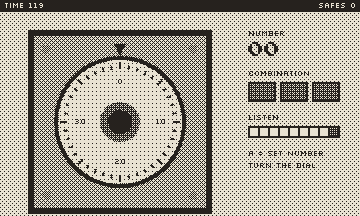
Turn the dial (or left/right) to change the frequency.
- Keyboard: arrow keys or WASD, Z or Space for A, X for B, Enter to pause. Turn the dial with Q and E or the mouse wheel.
- Phone or tablet: tap the buttons on the console. Drag your finger in circles around the dial on the side.
- Game controller: D-pad or left stick, A and B buttons, Start to pause. Spin the right stick or squeeze the triggers to turn the dial.
Tips
- Sweep quickly first, then turn slowly when you hear music.
- Watch the bars if you play without sound.
- Small turns near the station: it is a narrow spot.
Your best score is saved on this device. Press Menu at any time to pause, restart, change the screen tint or go back to the library.